인터페이스 및 기능Bodycam
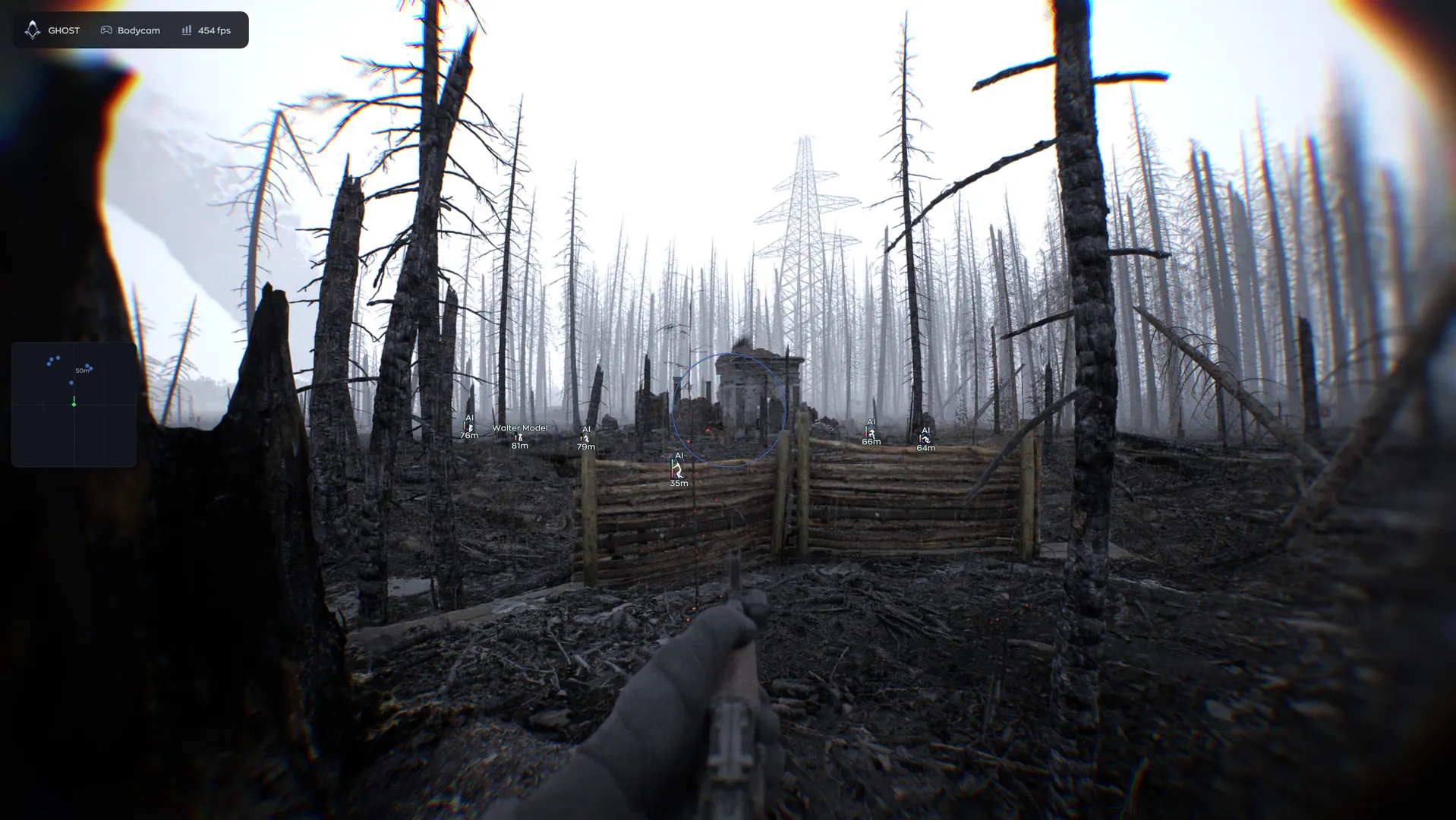
동영상 재생 1
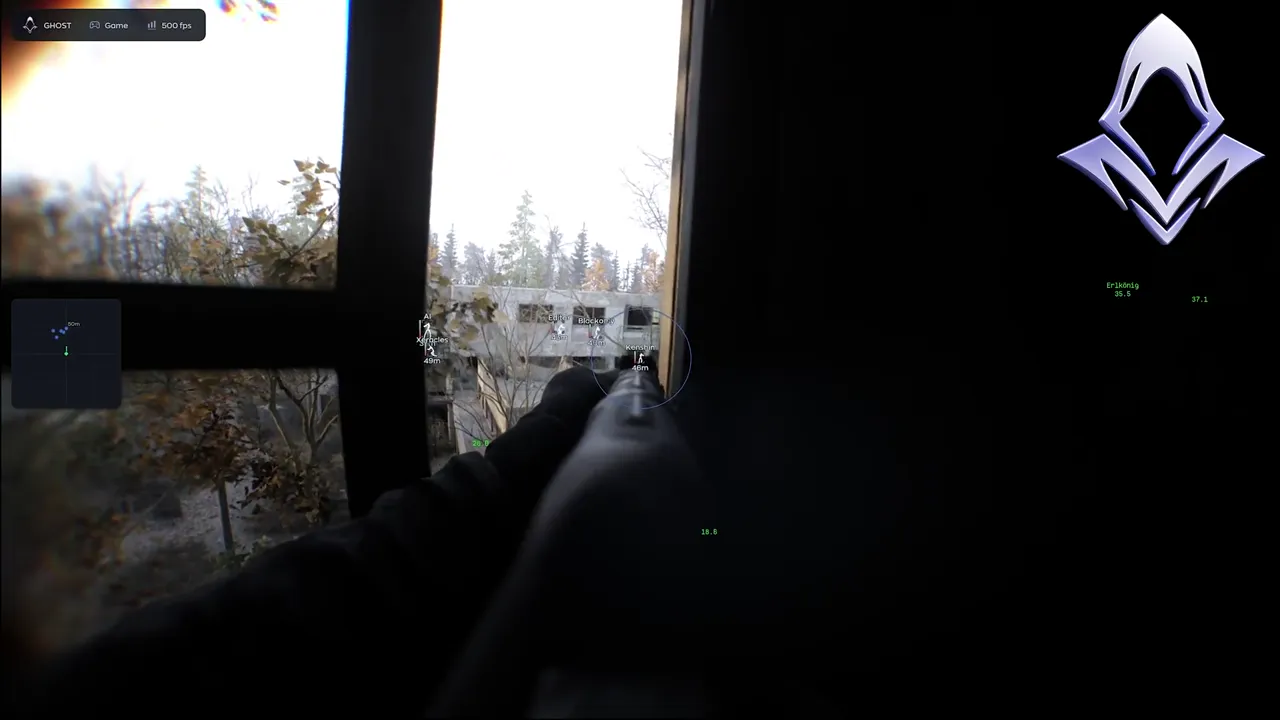
이미지를 선택하면 크게 볼 수 있습니다.
Ghost는 Steam 버전 Bodycam용 비공개 소프트웨어로, 설정 가능한 Aimbot과 Humanize, 플레이어 ESP, 레이더, 무기 옵션을 제공합니다. 타사 소프트웨어에는 항상 제재 위험이 있습니다.
Compatibility: Steam, Windows 10/11, windowed or borderless mode. Check the current product status and requirements before purchase.
시스템 요구사항
운영 체제
Windows 10 | 11 (all versions)
게임 클라이언트
Steam
프로세서
INTEL | AMD
게임 모드
창 모드 | 테두리 없음
Video Card
NVIDIA | AMD
기능
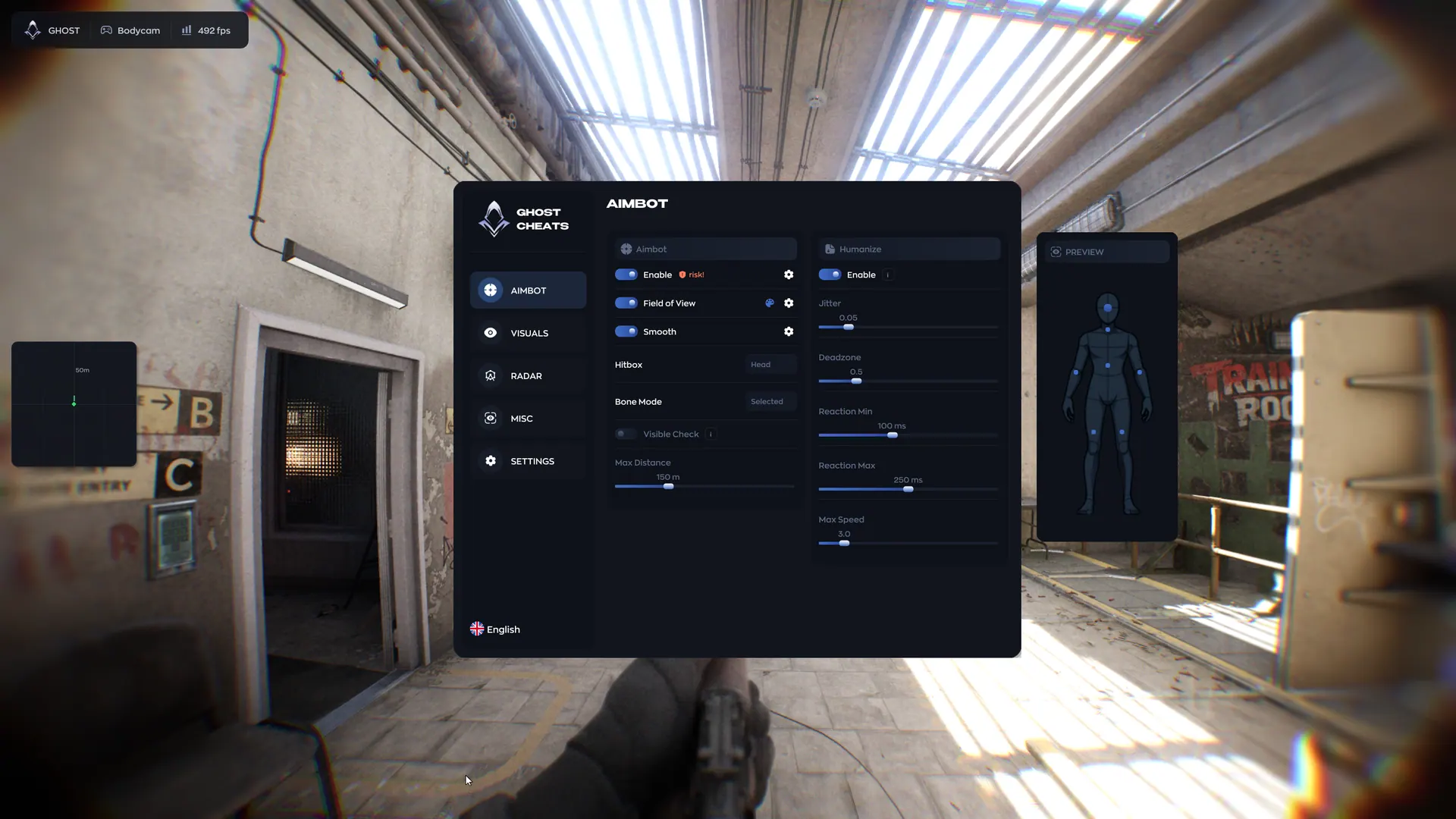
Aimbot
- Enable — activates the aimbot; marked as a higher-detection-risk feature
- Field of View — target acquisition radius (20–360)
- FOV Circle — displays the acquisition area on screen
- Hitbox — head, neck, body, arms or legs
- Bone Mode — selected bone or nearest bone
- Visible Check — targets visible opponents only
- Max Distance — maximum operating distance (1–500 m)
- Smooth — aiming movement smoothing (1–20)
레이더
- Enable — activates the radar
- Draw Outline — draws the radar outline
- Draw Background — draws the radar background
- Point Style — square, circle or triangle
- Size — adjusts radar size
- Max Distance — limits display distance
- Point Size — adjusts point size
- Zoom — adjusts radar scale
무기 옵션
- No Recoil — removes weapon recoil
- No Spread — removes bullet spread
- No Sway — removes weapon sway
- Rapid Fire — increases fire rate
- Fast Reload — speeds up reloading
Humanize
- Enable — activates the aimbot humanization system
- Jitter — adds micro-movements while aiming
- Deadzone — area in which the aimbot does not move the crosshair
- Reaction Min — minimum reaction delay
- Reaction Max — maximum reaction delay
- Max Speed — maximum aiming speed
플레이어 ESP
- Enable — activates player ESP
- Visible Check — separate colors for visible and hidden targets
- Box — regular, corner, filled or 3D box
- Name — displays the player nickname
- Skeleton — displays the model skeleton
- Distance — displays distance to the player
- Snapline — draws a line to the player
- Snapline Target — head, body or legs
- Snapline Mode — all players or current aimbot target
- Offscreen Arrows — indicates targets outside the screen
- Health — displays a health bar
설정
- Config System — creates, saves, loads and deletes configs
- Watermark — displays the product watermark
메뉴 스크린샷
이 치트의 새 기능
1
이 프로그램의 새 기능, 주요 개선 사항 및 중요한 오류 수정입니다.
새로운 Speedhack, Unlimited Ammo, Rapid Fire, God Mode 및 Gravity 기능
보관된 업데이트 공지입니다. 날짜는 변경 사항의 기록일이며 정확한 빌드 날짜는 알 수 없습니다.
- Speedhack — 키바인드와 속도 슬라이더로 캐릭터를 가속합니다.
- Unlimited Ammo — 무한 탄약으로, 탄창을 자동으로 보충합니다.
- Rapid Fire — 무기의 최대 발사 속도.
- God Mode — 무적 상태로 체력을 최대로 유지합니다(호스트 전용).
- Gravity — 0에서 3x까지 조절 가능한 중력 배율(호스트 전용).
이것은 무엇을 의미하나요?
고객 리뷰
모든 리뷰자주 묻는 질문
Ghost Bodycam에는 어떤 기능이 포함되어 있나요?
Ghost Bodycam의 기능 세트는 선택한 플랜에 따라 다릅니다. 일반적으로 Aimbot, ESP/Wallhack, Radar 등이 제공됩니다. 전체 기능 목록은 위의 상품 설명에 나와 있습니다.
어떤 결제 수단을 사용할 수 있나요?
이용 가능한 결제 수단은 결제 단계에서 결제 제공업체가 표시합니다. 상품과 지역에 따라 다르므로 결제 전에 지원팀에 세부 정보를 확인하세요.
고객 지원은 어떻게 문의하나요?
비공개 문의에 주문 번호, 상품과 에디션, 결제 플랫폼, 현재 단계, 오류와 시도한 단계를 포함하세요. 이미 정보가 있다면 기존 대화를 이어가세요. 키, 비밀번호, 로그인 코드, 결제 정보와 비공개 링크를 숨기고 주문 번호를 공개 채팅에 올리지 마세요. 지원 문의.
결제가 확인됐지만 상품이 없습니다. 얼마나 기다려야 하나요?
원래 주문 페이지를 여세요. 전달 방식과 시간은 상품 및 구매 조건에 따라 다릅니다. 자동 전달과 수동 처리는 다른 절차입니다. 안내된 시간이 지났거나 결제 확인 후에도 전달되지 않으면 판매자에게 주문 번호를 비공개로 보내세요. 결제 후 도움말.
키는 있습니다. 다운로드와 설명서는 어디에 있나요?
구매한 정확한 상품과 에디션의 설명서를 사용하세요. 상품 페이지 또는 주문 전달 내용에 링크가 있습니다. 키는 접근 정보이며 공통 다운로드 링크가 아닙니다. 해당 설명서나 주문에서 다운로드하세요. 링크가 없다면 다른 상품의 안내를 쓰지 말고 지원에 문의하세요. 결제 후 도움말.
결제 후 소프트웨어의 활성화, 실행 및 사용에 대한 자세한 안내를 받으실 수 있습니다.
안내는 결제 전 제공한 이메일 주소로 전송됩니다.
다운로드 링크와 필요한 구성 요소도 함께 제공됩니다.
치트 커뮤니티
치트 업데이트, 탐지 상태, 다른 플레이어의 도움 — 텔레그램과 디스코드에서.