Fecurity for PUBG
Buy reliable Fecurity Lite cheat for PUBG

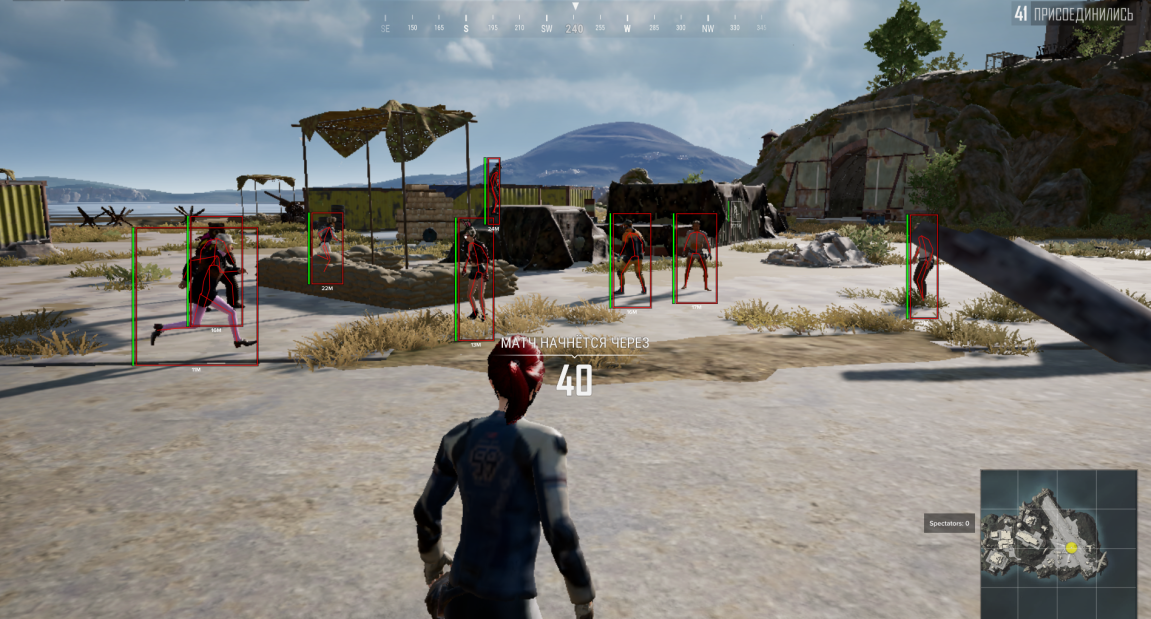
Fecurity Lite is a private visual cheat for PUBG from a proven development team that successfully creates bypasses for many popular shooters. The software focuses on safety and informativeness: an advanced ESP system allows you to track players, loot, vehicles, and corpses on the map, building a complete tactical picture of the battle.
Includes a built-in HWID spoofer (Intel only) that protects against hardware bans. All current Windows 10–11 builds are supported, UEFI mode and GPT disk format required. The software is regularly updated, and the developer quickly responds to game changes and helps users with setup.
🔔 Cheat statuses update automatically from our Telegram bot via developer notifications — follow the news there. Many cheats update themselves after game changes, so a “Checking” status does not mean the cheat is broken — it is just uncertainty until confirmed. Not sure? Ask in the site chat or on our Contacts page.
Global keys — work worldwide.
Payment with a Binance card may be available for selected products. Contact us privately before buying to check availability and agree the details.
Features
Visuals
- Show only enemies
- Boxes around players
- Opponent's health
- Player skeleton
- Adjusting the thickness of the skeleton
- Maximum display distance
- Information about the subject
- Information about the enemy
- Highlighting loot
- The distance to the corpse
- Display of transport and its characteristics
- Keyboard shortcuts
Misc
- Number of viewers (spectators)
- Remaining time
- Color adjustment
- All kinds of color display adjustments
- Support Languages: Russian, English, Chinese, Korean
Colors
- All color adjustments of the display
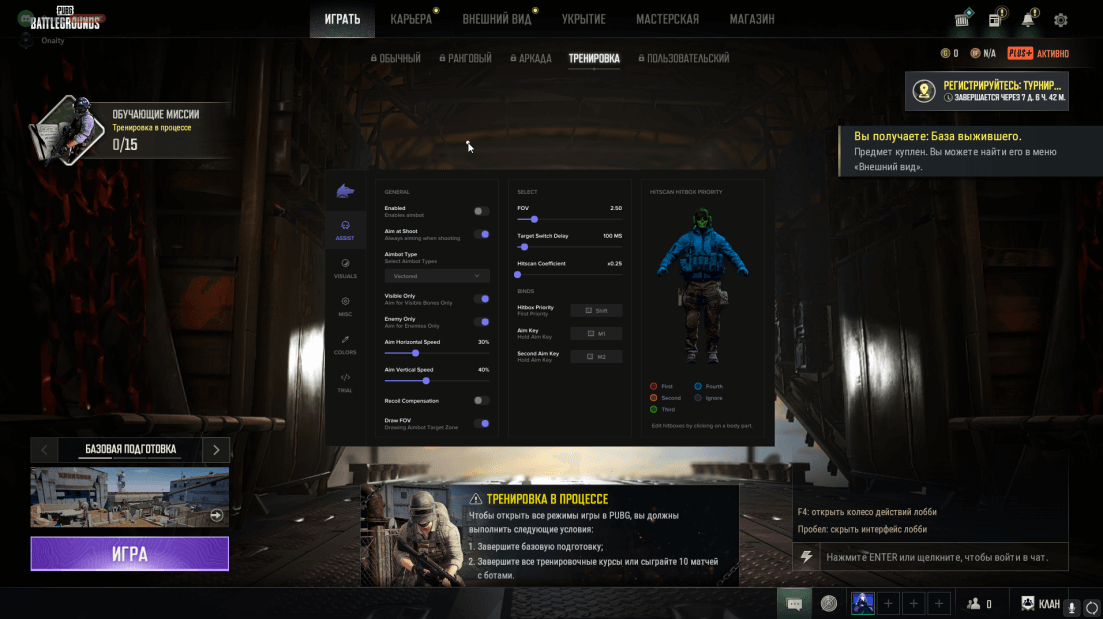
Menu Screenshots
What's new in this cheat
1
New features, meaningful improvements and important fixes for this product.
BSOD Fix and Dial Indicator Added
Archived announcement. The date records the changes; the exact build date is unknown.
- Fixed BSOD after the game was closed
- Added Dial Indicator (Player Arrow Behind FOV)
Customer Reviews
All reviewsFrequently Asked Questions
What features are included in Fecurity?
What payment methods are accepted?
How to contact support?
Payment is confirmed, but the product is missing. How long should I wait?
I have a key. Where are the download and instructions?
After payment you will receive detailed instructions on activation, launch and use of the software.
Instructions will be sent to the email address specified before payment.
You will also find a download link and necessary components for the software.
Cheat community
Cheats for PUBG and PUBG Mobile: updates, detection status and a players' chat.