Labcore Radar for DayZ
Buy Labcore Web Radar for DayZ — private external map radar
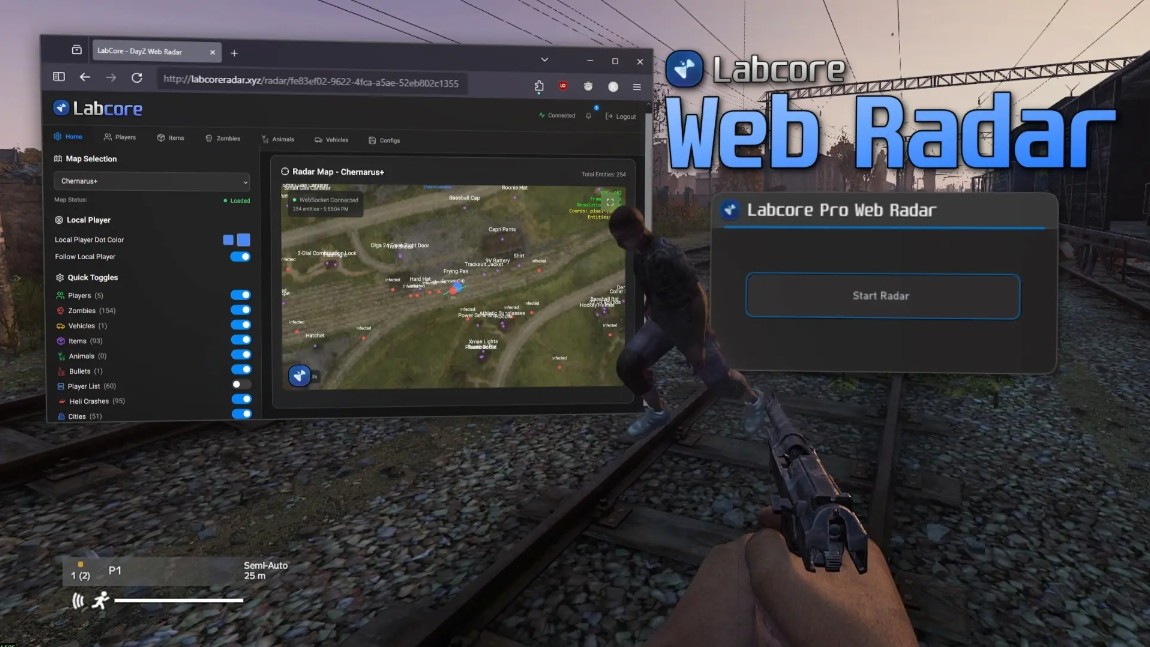
Labcore Web Radar is a private external radar for DayZ. It opens a map with the position of players, zombies, vehicles, animals and loot in a separate browser window. It is not injected into game memory and does not require installation in the game client, which keeps it invisible to the built-in anti-cheat.
Flexible item filtering with whitelist, blacklist and ready-made presets, display of player health and view direction, markers for helicopter crash sites, cities and military bases. More than 38 maps supported — from Chernarus+, Livonia and Sakhal to Namalsk, Pripyat and Takistan. Share the radar link with friends — they don't need a subscription.
System Requirements
Global keys — work worldwide.
Payment with a Binance card may be available for selected products. Contact us privately before buying to check availability and agree the details.
Features
Main menu
- Toggle local player dot
- Follow local player mode
Radar settings
- Map zoom level
- Marker font size
- Marker dot size
Players — display
- Player dot on the map
- Player name
- Current health value
- Equipped weapon
- Distance to player
- View direction
- Inventory contents
Items — filters
- Filter mode (whitelist or blacklist)
- Item whitelist
- Item blacklist
- Ready-made filter presets
- Maximum display distance
- Dot and font size
- Marker colors
Extras
- Server player list (add friends by nickname)
- Helicopter crash site markers
- City names
- Military base locations
- Share radar link with friends without purchase
Quick toggles
- Show or hide players
- Show or hide zombies
- Show or hide vehicles
- Show or hide animals
- Show or hide bullets
- Show or hide player list
- Show or hide helicopter crash sites
- Show or hide cities
- Show or hide military bases
Players — settings
- Maximum display distance
- Player dot size
- Label font size
- Colors of dot, name, health and weapon
Items — display
- Loot dots on the map
- Item names
- Distance to item
Zombies, animals, vehicles
- Show dots on the map
- Show entity names
- Show distance
- Maximum display distance
- Dot and font size
- Marker color customization
Supported maps
- Chernarus+, Livonia, Sakhal, Alteria, Anastara, Antoria
- Arsteinen, Avalon, Azalea, Banov, Bitterroot, Chiemsee
- Deadfall, DeerIsle, Esseker, Hashima, Iztek, Malvinas
- Melkart, Namalsk, NH Chernobyl, Novikostok, Nukezzone, Nyheim
- Onforin, PNW, Pripyat, Raman, ROS, Rostow
- Sahrani, Stuart Island, Takistan, Takistan Plus, Valning, Vela
- Vis Island, Yiprit
Frequently Asked Questions
What features are included in Labcore Radar?
What payment methods are accepted?
How to contact support?
Payment is confirmed, but the product is missing. How long should I wait?
I have a key. Where are the download and instructions?
After payment you will receive detailed instructions on activation, launch and use of the software.
Instructions will be sent to the email address specified before payment.
You will also find a download link and necessary components for the software.
Cheat community
Cheat updates, detection status and help from other players — in our Telegram and Discord.