Phoenix for Path of Exile 2
Phoenix for Path of Exile 2 — Private Script Pack with Map Reveal, Auto-Healing and HWID Spoofer

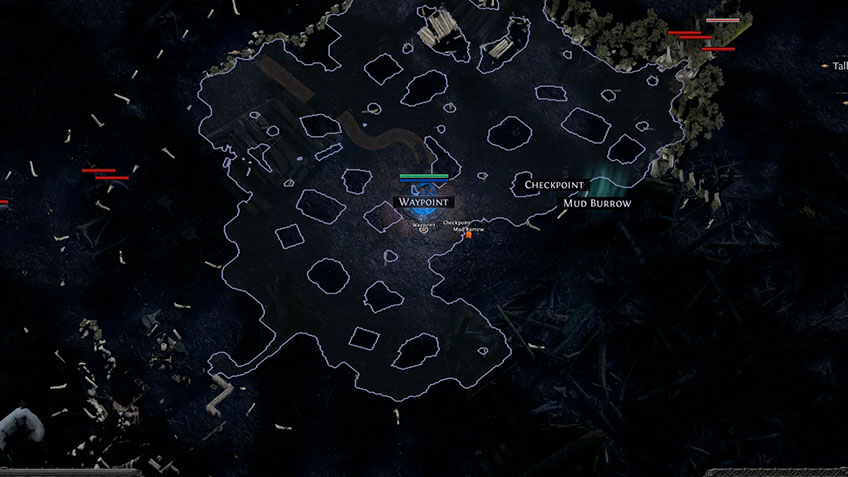
Phoenix (Satano) for Path of Exile 2 is a private script pack designed to simplify gameplay and increase farming efficiency. The software combines visual enhancements, automation of routine actions and a hardware protection system in one solution.
Atlas and Delirium fog removal provides clear visibility even in the most chaotic fights. Map reveal and camera restriction removal give full control over the environment. Automatic health, mana and energy shield scripts keep the character alive in critical situations, while the instant game exit function at low HP saves from death.
A flexible config system allows you to save settings and load them with a single button. The built-in HWID Spoofer reduces risks for accounts during farming and trading.
System Requirements
🔔 Cheat statuses update automatically from our Telegram bot via developer notifications — follow the news there. Many cheats update themselves after game changes, so a “Checking” status does not mean the cheat is broken — it is just uncertainty until confirmed. Not sure? Ask in the site chat or on our Contacts page.
Global keys — work worldwide.
Payment with a Binance card may be available for selected products. Contact us privately before buying to check availability and agree the details.
Features
Visuals
- Always Health Bar — permanent display of player health levels
- Map Revealer — fully reveals the map the player is on
- Infinity Zoom — removes all camera distance restrictions
- Remove Atlas Fog — removes atmospheric fog on Atlas maps, improving visibility and making the environment clearer
- Remove Delirium Fog — disables dense Delirium fog, increasing enemy visibility
Other Features
- Configs — config system: save your preset and load it on next launch
- Menu Key — assign a key to open Phoenix PoE 2 menu
- Custom Scale — cheat menu scale adjustment for convenience
- HWID Spoofer — built-in spoofer to minimize ban risk
Scripts
- Enable — toggle scripts on/off
- Binds — hotkeys for script activation
- Script Mode — script operation mode (on bind press, always on)
- Auto Health Script — automatically applies healing at low HP
- Auto Mana Script — automatically replenishes mana when it reaches threshold
- Energy Shield — reinforces character energy shield at set threshold
- Auto Escape — automatic game exit at critical health level
- Slider Value — script trigger threshold adjusted via slider
What's new in this cheat
1
New features, meaningful improvements and important fixes for this product.
Map Overlay function restored and optimized
Archived announcement. The date records the changes; the exact build date is unknown.
- The Map Overlay function was restored and optimized.
Customer Reviews
All reviewsFrequently Asked Questions
What features are included in Phoenix?
What payment methods are accepted?
How to contact support?
Payment is confirmed, but the product is missing. How long should I wait?
I have a key. Where are the download and instructions?
After payment you will receive detailed instructions on activation, launch and use of the software.
Instructions will be sent to the email address specified before payment.
You will also find a download link and necessary components for the software.
Cheat community
Cheat updates, detection status and help from other players — in our Telegram and Discord.