Unnamed for MECCHA CHAMELEON
Unnamed private cheat for Meccha Chameleon — Aimbot + ESP + Misc
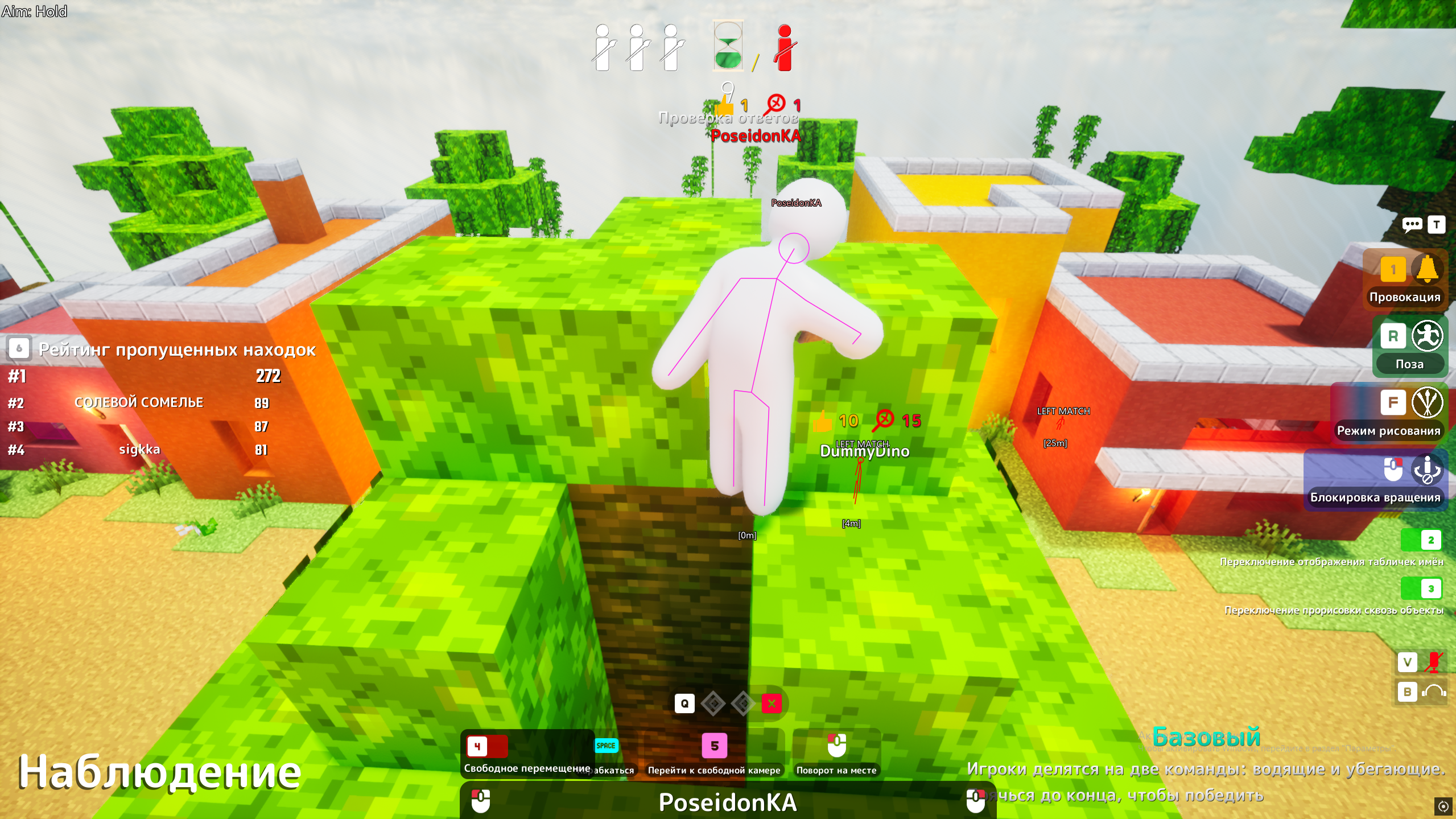
MECCHA CHAMELEON Internal by Unnamed is a private cheat for the hyped asymmetric "hunters vs survivors" game Meccha Chameleon. Full functionality for both Hunter and Survivor: a precise aimbot (Visible Only, FOV, smoothing, bone selection), separate Hunter and Survivor ESP (skeleton, head circle, view direction, name, distance), plus a rich Misc section — Kill All Survivors in one button, infinite ammo and No Gun Cooldown for the Hunter, Anti Buried and No Decoy Cooldown for the Survivor, server tools (Anti Kick, Change Name, EEYAN and ME points editors), FOV camera, status overlay, custom crosshair and Auto Paint. Stable internal injection, plans from 1 day to Lifetime.
System Requirements
🔔 Cheat statuses update automatically from our Telegram bot via developer notifications — follow the news there. Many cheats update themselves after game changes, so a “Checking” status does not mean the cheat is broken — it is just uncertainty until confirmed. Not sure? Ask in the site chat or on our Contacts page.
Global keys — work worldwide.
Payment with a Binance card may be available for selected products. Contact us privately before buying to check availability and agree the details.
Features
AIM
- Aimbot — toggle on/off
- Visible Only — target visible enemies only
- Draw FOV
- Draw Target Line
- Mouse Key — activation key
- Mode (Hold, etc.)
- Filter — target filter (Closest To Crosshair)
- Bone — bone selection (Head)
- FOV — capture radius
- Smooth
- Speed
MISC — Survivor
- Anti Buried
- No Decoy Cooldown
MISC — Server
- Anti Kick
- Change Name — visible to everyone
- EEYAN Points Editor — visible to everyone
- ME Points Editor — visible to everyone
VISUALS — Hunter ESP
- Skeleton
- Head Circle
- View Direction
- Name
- Distance
- Max Distance
VISUALS — Survivor ESP
- Skeleton
- Head Circle
- View Direction
- Name
- Distance
- Max Distance
MISC — Hunter
- No Gun Cooldown
- Infinite Ammo
- Kill All Survivors — wipe everyone on the map with one button
MISC — Camera / Status / Other
- FOV Changer + FOV Slider
- Status Overlay + Font Size
- Crosshair
- Visual Font Size
- Auto Paint
Customer Reviews
All reviewsFrequently Asked Questions
What features are included in Unnamed?
What payment methods are accepted?
How to contact support?
Payment is confirmed, but the product is missing. How long should I wait?
I have a key. Where are the download and instructions?
After payment you will receive detailed instructions on activation, launch and use of the software.
Instructions will be sent to the email address specified before payment.
You will also find a download link and necessary components for the software.
Cheat community
Cheat updates, detection status and help from other players — in our Telegram and Discord.