Memez PUBG
Buy Memez PUBG — Web Radar for PUBG on a Separate Device
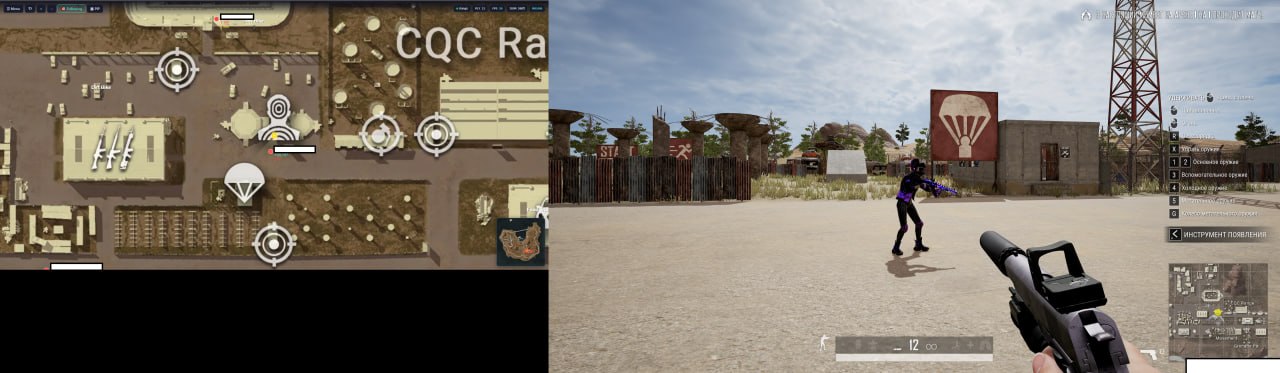
Memez PUBG is a web radar for PUBG: players, loot, and vehicles on a live map in your browser. Open the radar on a separate device (phone, tablet, or second PC) for a tactical edge without an in-game overlay.
Important: do not run the radar on the same machine as the game, even with two monitors — the game may capture the screen for review.
One subscription — one device (vendor restriction to prevent key sharing).
Disabling or removing protection increases the risk of computer infection. A compatibility requirement does not establish that a file is safe. If your browser or antivirus displays a warning, stop the download or launch and send support the threat name and file source. Do not bypass the warning or restore a quarantined file without verification.
System Requirements
optionalfeatures → Enter → enable “Hyper-V Platform” (expand nested options) → OK. Then in an elevated CMD: bcdedit /set hypervisorlaunchtype auto- Synchronise time after entering the key — Date & time settings → Sync now.
- Utilities and scripts for disabling protection are not distributed here. If the required configuration is unacceptable to you, do not continue installation.
- Connection error / DLL error — run the loader with a VPN.
- Other issues — contact store support.
🔔 Cheat statuses update automatically from our Telegram bot via developer notifications — follow the news there. Many cheats update themselves after game changes, so a “Checking” status does not mean the cheat is broken — it is just uncertainty until confirmed. Not sure? Ask in the site chat or on our Contacts page.
Global keys — work worldwide.
Payment with a Binance card may be available for selected products. Contact us privately before buying to check availability and agree the details.
Features
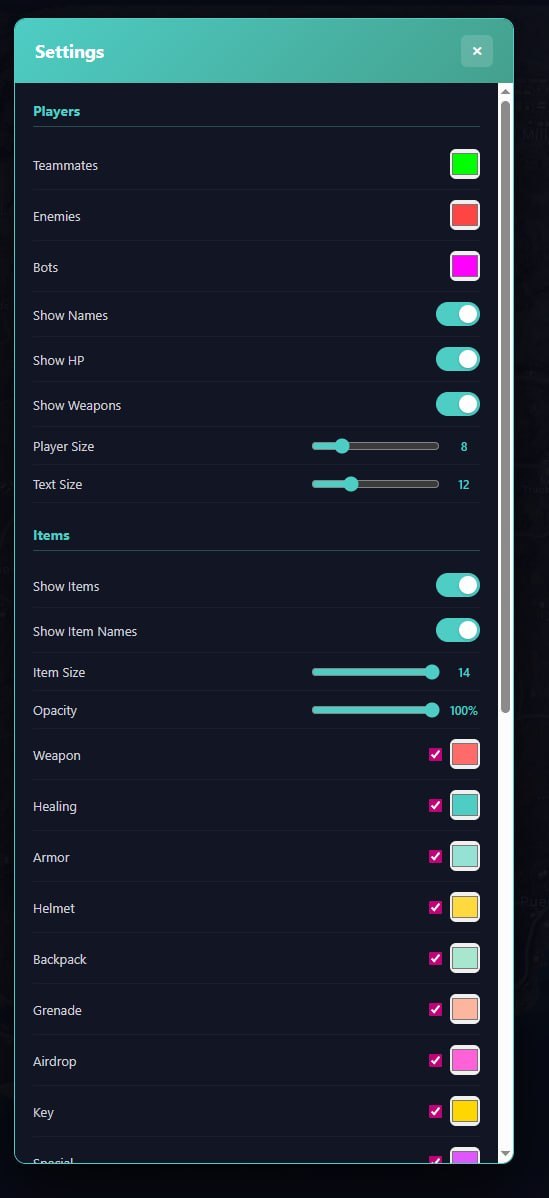
Players
- Display teammates
- Display enemies
- Display bots
- Player nicknames
- Player health (HP)
- Weapons in players' hands
- Customizable player icon size
- Customizable text size
Vehicles
- Vehicle display on map
- Vehicle names
- Customizable color and icon size
Items
- Weapons
- Healing items (first aid kits, bandages, etc.)
- Body armor
- Helmets
- Backpacks
- Grenades
- Airdrops
- Keys and keycards
- Special items
- Miscellaneous items
- Customizable icon size and opacity
Display
- Coordinate grid
- Minimap
- Hotkeys (Zoom In/Out, Reset View, Follow)
Menu Screenshots
Customer Reviews
All reviewsFrequently Asked Questions
What features are included in Memez PUBG?
What payment methods are accepted?
How to contact support?
Payment is confirmed, but the product is missing. How long should I wait?
I have a key. Where are the download and instructions?
After payment you will receive detailed instructions on activation, launch and use of the software.
Instructions will be sent to the email address specified before payment.
You will also find a download link and necessary components for the software.
Cheat community
Cheats for PUBG and PUBG Mobile: updates, detection status and a players' chat.