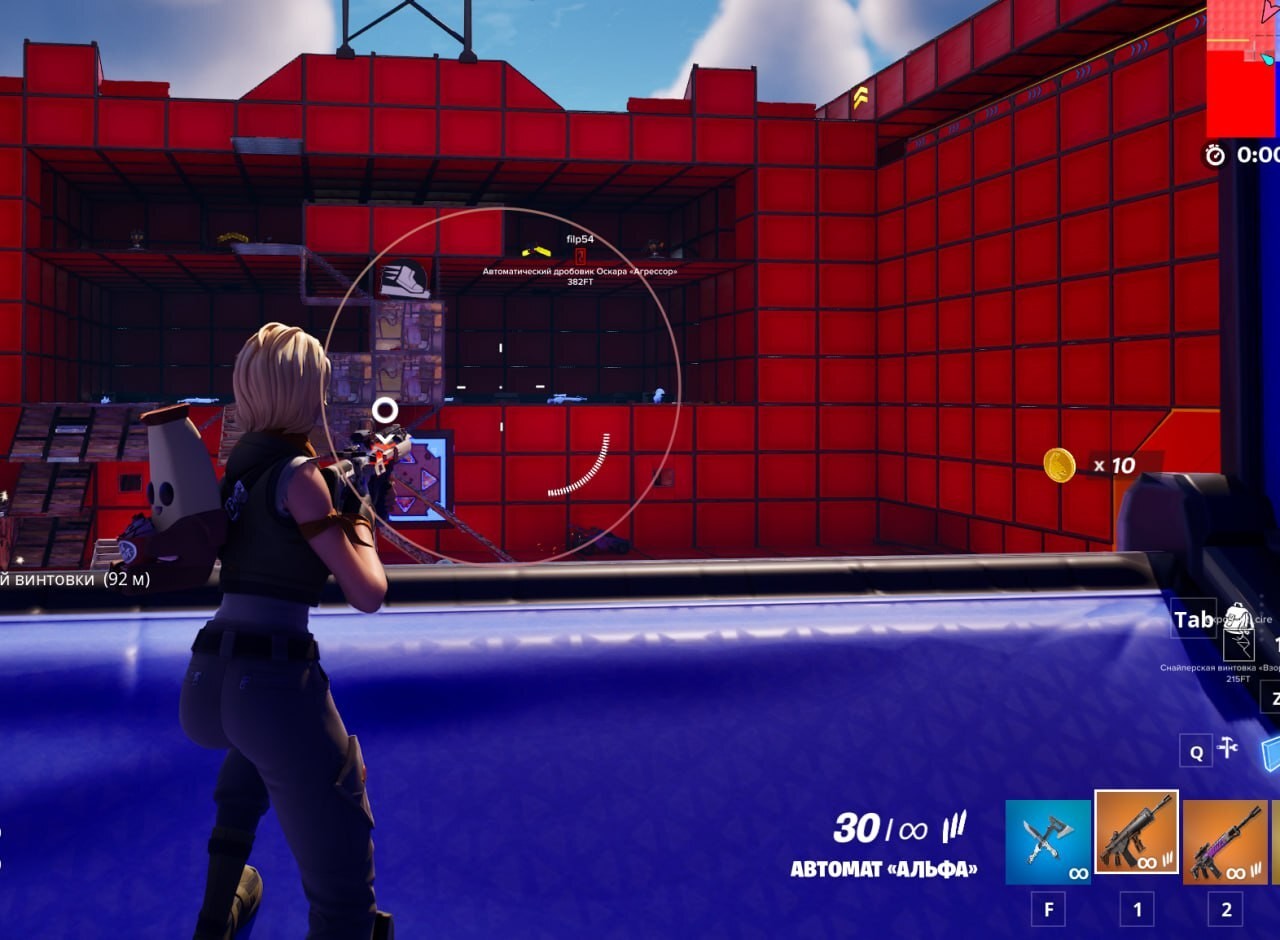
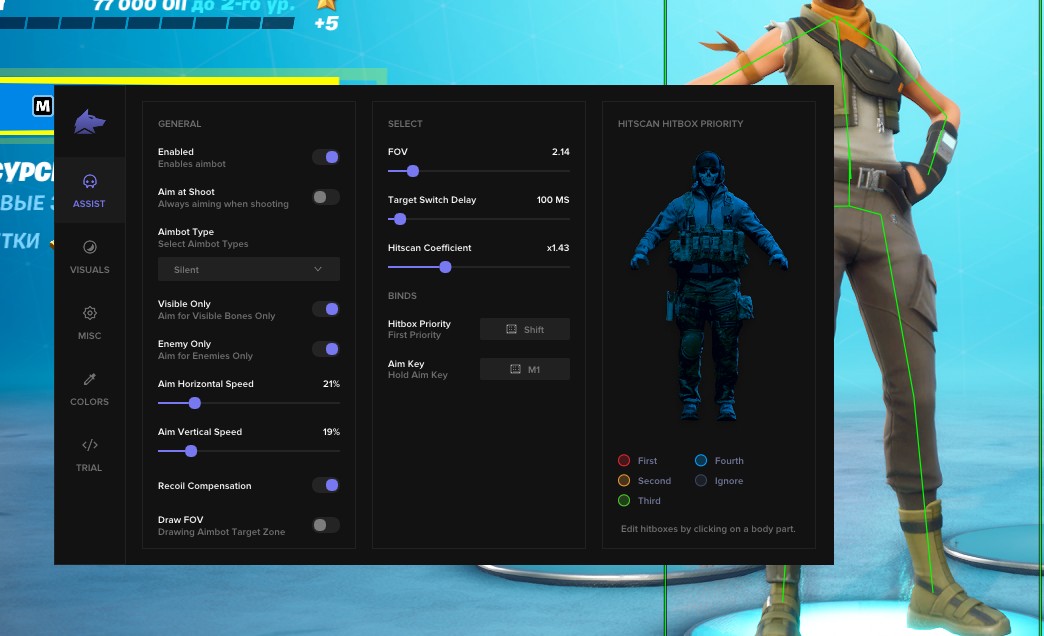
[ON] Aimbot [ON] ESP [ON] WH
更多Fortnite作弊

Fecurity 的 Fortnite

购买 Fortnite 私人 Fecurity 作弊

$8 购买
开发者: Fecurity
播放视频

销售暂时暂停

$8
购买
  • 即时交付
  • 安全支付
  • 全天候支持

Fortnite 版 Fecurity 是由经过验证的开发团队制作的私人外部作弊。以外部进程方式运行,稳定性高,被反作弊检测的概率低。软件注重信息性和精准度:先进的 ESP 系统会标记敌人、手雷和载具,Silent Aimbot 让您在任何距离下都能自信开火。

支持所有当前的 Windows 10 和 11 x64 版本——从 2004 到 25H2,支持 Intel 和 AMD 处理器以及各种窗口模式。必须条件:启用 UEFI、硬盘使用 GPT 格式、关闭 Secure Boot 和 TPM。开发者会在 Fortnite 更新后定期维护软件,并迅速解答用户问题。

系统要求

支持的处理器
Intel 和 AMD
支持的操作系统
Windows 10 / 11 x64
支持的版本
从 2004 到 25H2 的全部版本
窗口模式
窗口化、无边框窗口、全屏
项目类型
External
BIOS 模式
磁盘格式
Secure Boot
已关闭
TPM
已关闭
正常运行 详细状态

🔔 作弊状态根据开发者通知从我们的 Telegram 机器人自动更新——请在那里关注最新消息。许多作弊会在游戏更新后自动更新,因此「核实中」状态并不代表作弊不可用,只是确认前的不确定。不确定?请在网站聊天询问或查看联系方式

全球密钥——全球通用。

24 小时$8购买
热门7 天$30$4/天−46%购买
超值30 天$65$2/天−73%购买
保障
安全支付
即时交付
快速支持
使用 Binance 卡付款

部分商品可能支持使用 Binance 卡付款。购买前请通过私信联系我们,确认是否可用并商定详情。

通过私信咨询

功能

VISUALS

  • Grenade ESP(手雷 ESP)
  • Vehicle ESP(载具 ESP)
  • Player ESP(玩家 ESP)
  • 显示血量
  • 显示距离
  • 显示昵称
  • 骨骼渲染
  • 玩家周围 2D 方框

AIMBOT

  • Silent Aimbot(静默自瞄)
  • FOV(自瞄视野)
  • Distance aimbot(自瞄距离)

此外挂的新功能

近期软件更新历史 — 从最新到较旧。

  1. 改进

    Fecurity Fortnite — game patch, Dial Indicator and new launcher (Secure Boot Native)

    Fecurity for Fortnite updated for the latest game patch. Technical update: Dial Indicator added (player arrow behind FOV), new launcher with Secure Boot Native support (fecuritydocs.gitbook.io guide), updated system requirements, stability and security improvements. Discord Overlay or Medal.tv Overlay is required to launch (game in Borderless/Windowed mode). For low-frequency monitors use Medal.tv Overlay (disable Discord Overlay in this case). Build date May 14 or newer.

  2. 新产品

    Fecurity for Fortnite — private external cheat with ESP and Silent Aimbot

    Added the private external cheat Fecurity for Fortnite. Features: player, grenade, and vehicle ESP, health, distance, nickname, and skeleton display, 2D boxes, plus Silent Aimbot with FOV and distance settings. Supports all Windows 10/11 x64 builds from 2004 to 25H2, Intel and AMD processors. Plans: 24 hours, 7 and 30 days.

所有站点更新

菜单截图

📖 Fecurity 教程:准备、启动、菜单与内置 Spoofer ——购买前请阅读

客户评价

所有评价

常见问题

使用 Fecurity 安全吗?
是的,Fecurity 以安全性为核心设计。我们使用先进的反作弊绕过方法并定期更新软件。不过,不存在100%不被封号的保证 — 建议使用小号。
如何安装和启动 Fecurity?
购买后您将收到 oplata.info 链接,包含说明、下载链接和激活密钥。按照分步指南操作 — 安装通常只需2-5分钟。
Fortnite 更新后 Fecurity 还能用吗?
我们会在每次 Fortnite 补丁后及时更新 Fecurity。更新通常在1-48小时内发布。更新期间订阅冻结 — 您不会损失已付费时间。
Fecurity 包含哪些功能?
Fecurity 的功能取决于所选套餐。通常包括:自动瞄准、透视/穿墙、雷达等。完整功能列表请参见上方商品描述。
接受哪些付款方式?
可用的付款方式由付款服务商在结账页面显示。具体选项取决于商品和地区;付款前请向客服确认详情。
如何联系客服?
可通过 Telegram(@undetect)Telegram 群Discord 或邮件 ivsofte@gmail.com 联系管理员。工作时间:10:00–00:00 (UTC+3)。
所有问题与解答

付款后,您将收到关于软件激活、启动和使用的详细说明。

说明将发送到付款前提供的电子邮件地址。

您还将找到下载链接和必要的组件。

作弊社区

作弊更新、检测状态以及其他玩家的帮助——尽在我们的 Telegram 和 Discord。